Archive Validator
Validates a given folder containing archive data against the expected structure TKG games expect.
The simple workflow is:
- Select what archives you want to validate.
- Press the validator button in the TKT widget in the Plugins tab.
- View results.
What exact rules the validator checks against are not worth documenting here, for they might change at any given point during TKG development. Any problems with rules not being met will be Outputted, and a Loremaster (likely you, since you're reading this guide) will need to fix them. The problem messages should be quite verbose and easy to understand - they pinpoint exactly what object is having the problem and what the problem is.
You can key-bind the toggle (to something useful like ALT+V) using the Studio Shortcut manager!
Simply navigate File > Advanced > Customize Shortcuts... and in the pop-up window that opens, search for Archive.
Then, bind to what you find most comfortable!
Choosing What Archives to Validate
The plugin will look for archives to validate in 2 places:
- Your selection, based on the following rules:
- Whatever you select must be a
Folder. - You must only have 1 item in your selection.
- Whatever you select must be a
- Looking for a
Folderdown the following path:ServerStorage > MainLibrary > MainModule > LibraryContent- Note that
MainLibraryandLibraryContentmust both beFolders - And
MainModulemust be aModuleScript. Whether it is a package or not is irrelevant.
- Note that
Viewing Validation Results
Results will show up in the Output tab.
You can enable it through View > Output at the top ribbon in ROBLOX Studio.
Any other errors or communication from the validator will also go into Output.
Examples
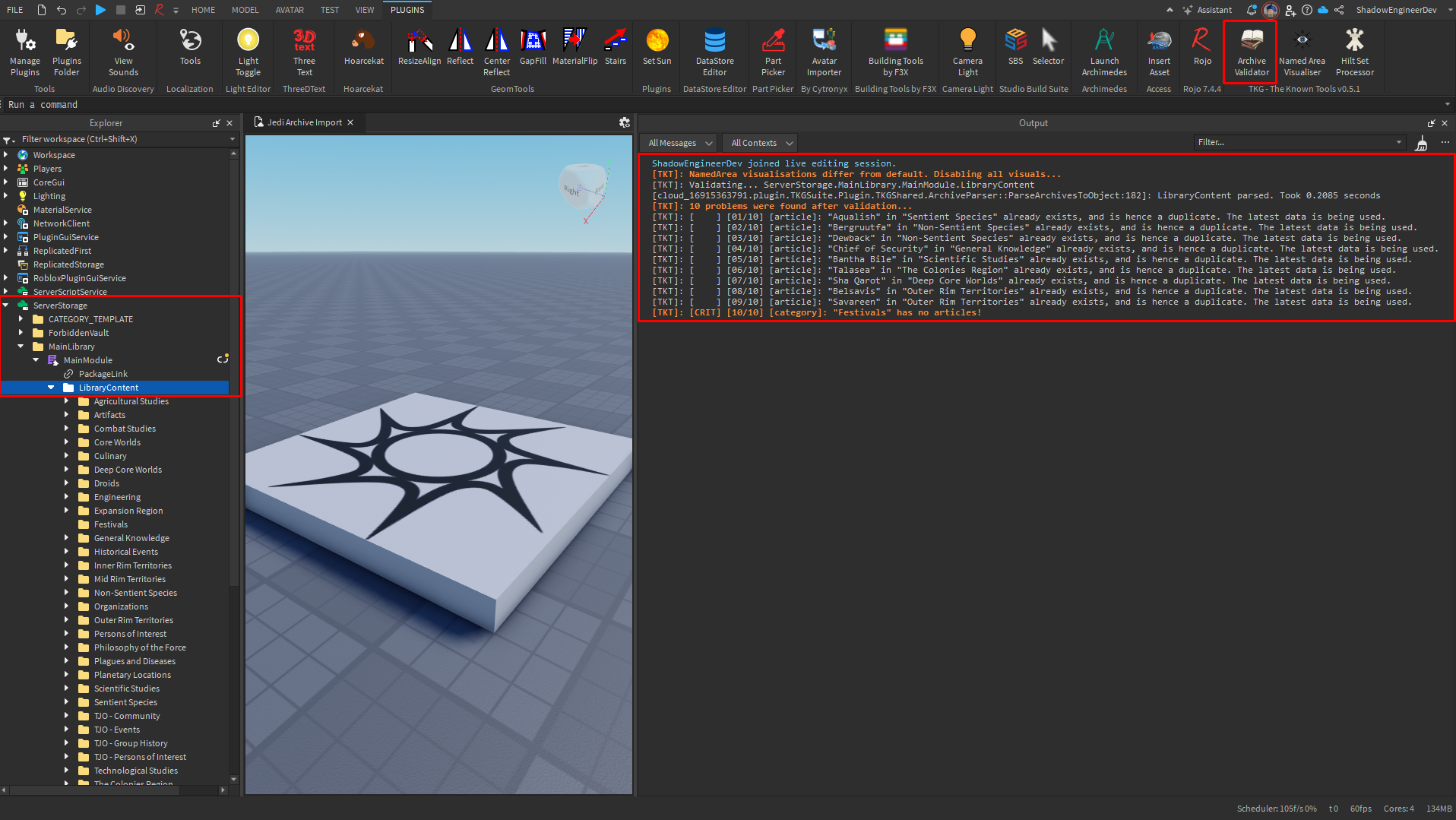
Here's an example of an unsuccessful validation with 11 problems relating to duplication.
Notice how one of the problems has [CRIT] marking it as a critical problem to solve (a category cannot exist with no entries!).
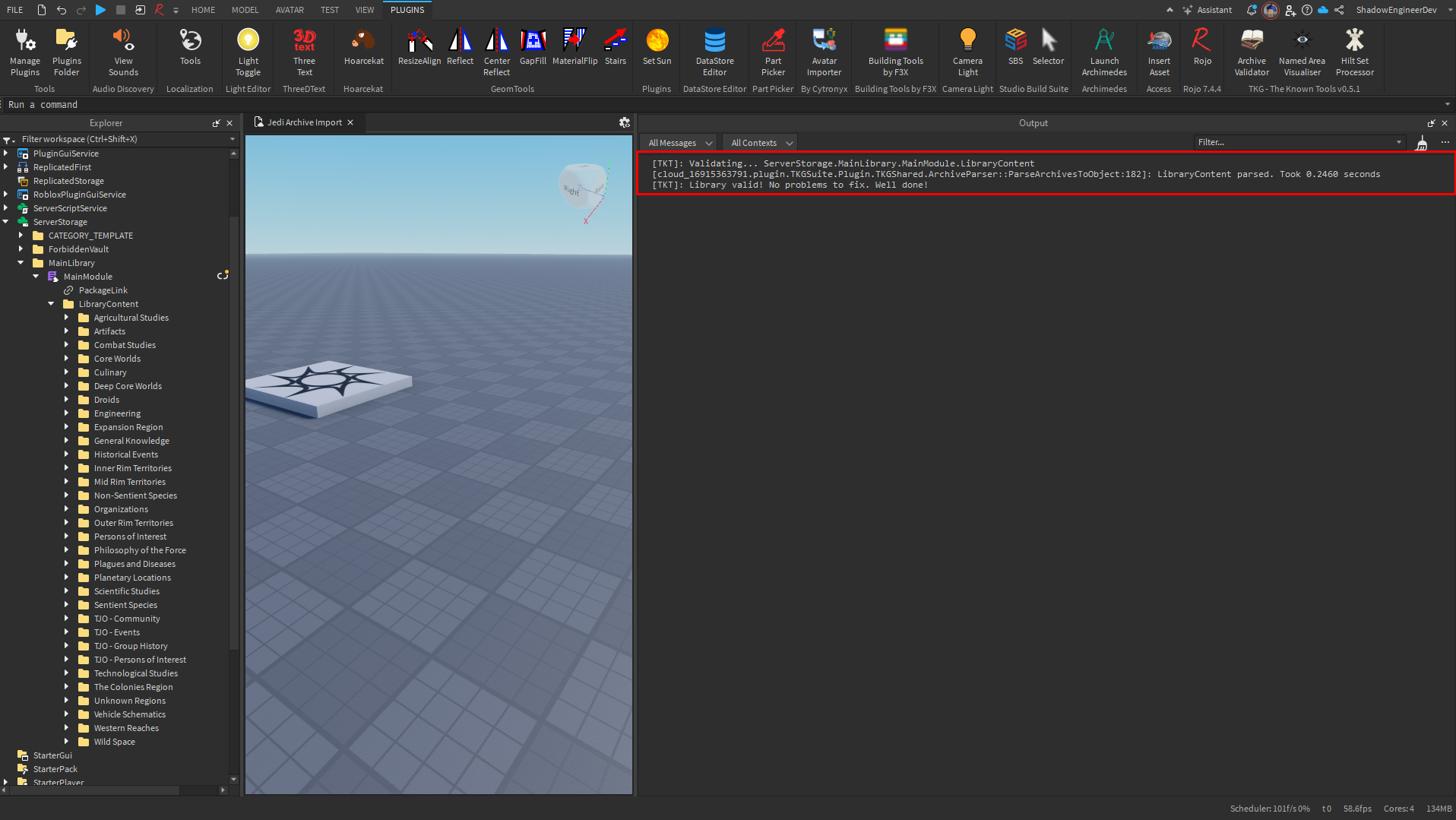
And here's an example of a successful validation after all problems have been fixed: